Track Your Time.
Own Your Focus.
A simple browser extension that tracks how much time you spend on each tab. Stay aware, stay productive, and master your browsing habits.
Active Users
100+
Time Tracked
1M+ Hours
Reviews
4.8/5
Productivity Gain
+27%
Meet Your Digital Timekeeper
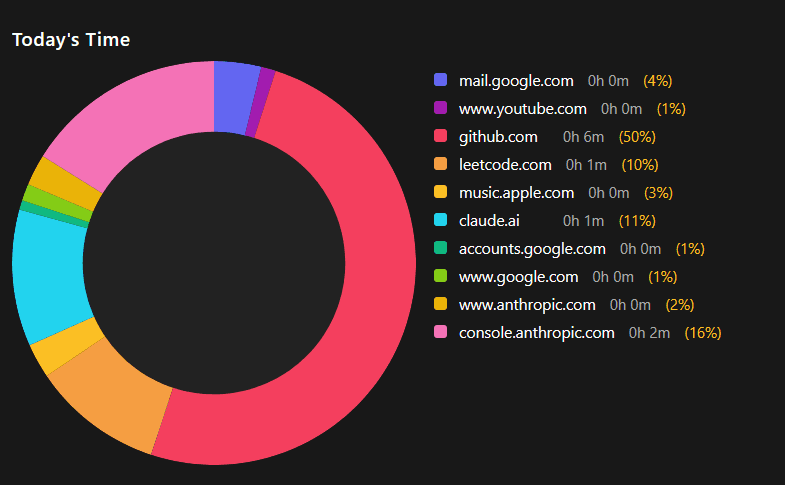
Stalki uses intelligent tracking to help you visualize and understand your browsing habits. All data stays on your device, ensuring complete privacy while giving you powerful insights.
Privacy-first approach with no data leaving your device
Beautiful visualizations of your browsing patterns
Set goals and receive smart notifications
How to Install Stalki
Get started with Stalki in just a few simple steps. Choose the method that works best for you.
1Direct Download
- ✓
Click on any Download button on this page
- ✓
Save stalki.zip to your computer
- ✓
Unzip the file to extract the extension
2Via GitHub
- ✓
Clone the repository from GitHub:
git clone https://github.com/raghav3615/stalki.git - ✓
Navigate to the extension directory
- ✓
Follow the README installation steps
Load Extension in Your Browser
Chrome
- Go to Menu -> Extensions
- Enable Developer mode
- Click Load unpacked
- Select the extension folder
Firefox
- Go to about:debugging
- Click This Firefox
- Click Load Temporary Add-on
- Select any file in extension folder
Edge
- Go to Menu > Extensions
- Enable Developer mode
- Click Load unpacked
- Select the extension folder
After installation, the Stalki icon will appear in your browser toolbar. Click it to start tracking your browsing time!
Everything You Need
Stalki comes equipped with everything you need to understand and optimize your browsing habits.
Time Tracking
Automatically tracks time spent on each website
Detailed Statistics
View breakdown of your browsing habits
Privacy-Focused
All data stays locally on your device
Lightweight
Minimal impact on browser performance
Ready to take control of your browsing time?
Get Stalki now and start improving your productivity today.
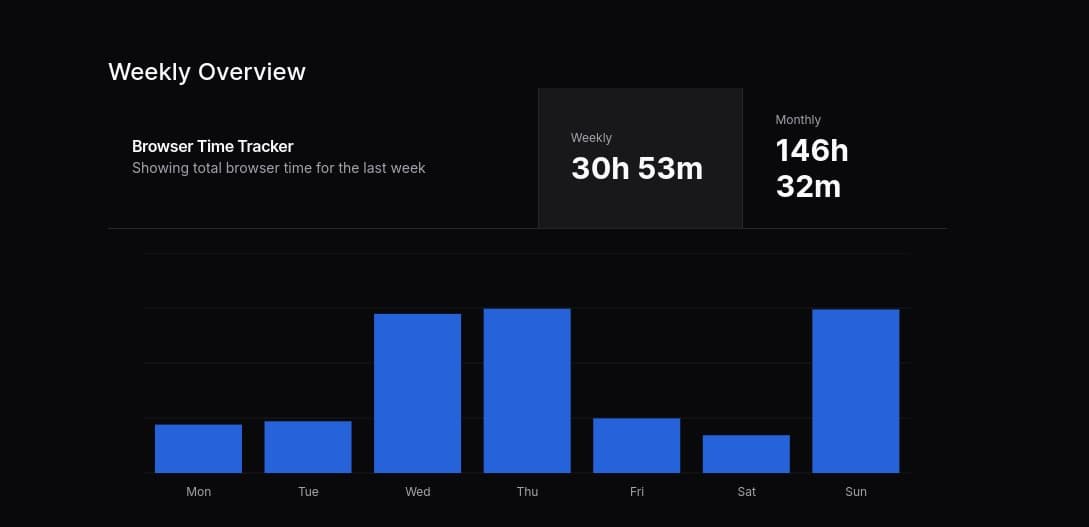
Visual Experience
Stalki offers a clean, intuitive interface that makes time tracking a pleasure rather than a chore.
What Our Users Say
Join thousands of users who have transformed their browsing habits with Stalki.
Stalki has completely changed how I manage my time online. I'm now aware of how much time I spend on each site and it's helped me stay focused.
Aarav Patel
Software Developer
I was shocked to see how much time I was wasting on social media. Stalki helped me reclaim over 2 hours of my day that I now spend on productive work.
Aditi Sharma
Digital Marketer
As a student, I need to stay focused while researching online. Stalki helps me track my study time and stay accountable to my goals.
Rohan Mehta
Student
Common Questions
Everything you need to know about Stalki and how it can help you manage your browsing habits.
Is Stalki free to use?
Yes, Stalki is completely free to use. We believe everyone should have access to tools that help improve their digital wellbeing.
How does Stalki protect my privacy?
All data collected by Stalki stays on your device. We don't track, store, or share any of your browsing information with third parties.
Which browsers support Stalki?
Stalki currently works with Chrome, Firefox, Edge, and Brave. Support for other browsers is coming soon!
Can I export my data?
Yes, you can export your browsing statistics in CSV or JSON format for further analysis or backup purposes.